RCS Messaging Services
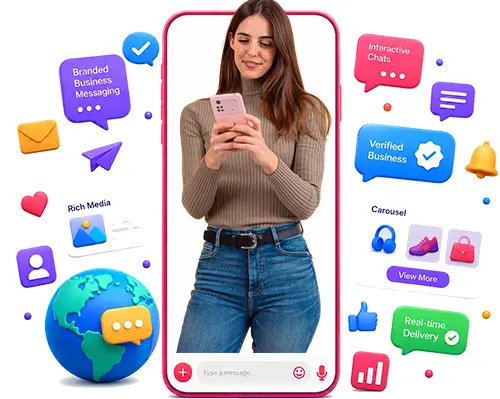
Brainpulse's RCS (Rich Communication Services) messaging services help brands send interactive text messages that feel like a real chat, not a plain text blast. Using RCS, you can share offers, reminders, and updates with buttons, images, and branded sender details, so people know what to do next without extra steps. For teams that want faster replies and seamless customer communication, RCS usually works better than SMS. Ready to provide your customers with an app-like experience directly within their SMS inbox? Let's discuss how RCS messaging can help you with this.
Trusted by Top Companies











What can a business send with RCS?
A business can send branded notifications, product updates, offers, reminders, order alerts, and support messages with images, buttons, and quick reply options. Here are the variety of communication that businesses can send through RCS:

Support and service alerts
RCS makes support feel faster because the customer can see the update, tap a suggested reply, or move straight to the next action. That is useful for banks, clinics, logistics teams, and any service brand that handles repeat questions or time-sensitive updates.

Rich cards with images and buttons
Rich cards are useful when the message needs to be visually appealing. A retail brand can show a product image. A travel business can show trip details. A support team can show a ticket or a next step right in the thread.

Product updates, offers, and reminders
RCS messages can help brands announce product launches, send sale alerts, appointment reminders, payment nudges, and delivery notices. All in one thread that feels easier to trust and act on
Direct Operator Connectivity
Direct operator connectivity helps Brainpulse send RCS messages through official telecom routes, so messages move with less delay and fewer delivery issues.




Types of Messages RCS Messaging Supports
The following are the types of messages that RCS messaging lets businesses to send to their potential customers.

Promotional RCS messages are used to push offers, product launches, discounts, and event updates. They are built to catch attention, drive clicks, and bring people back to buy or browse. Brands use them when the goal is marketing, not account updates.

Transactional RCS messages share important updates from a service provider like order confirmations, delivery status, payment receipts, or booking details. They keep customers informed at the right moment and usually feel more useful than a plain SMS.

OTP RCS messages help to send one-time passwords for login, verification, password resets, and transaction approval. These codes are short, clear, and easy to act on, while verified branding helps users trust the message faster.
Key Features of RCS Messaging
The features that matter are the ones that save time for the customer and reduce confusion for the brand. Verified sender profiles, logos, read receipts, and action buttons all do that in different ways.

Verified sender profile
The verified mark is one of the biggest trust signals in RCS. Verified business chats show the company name, logo, and a verification check mark, so the customer knows who they are talking to.

Brand logo and name
A branded header with brand logo and name makes the message easy to recognize at a glance. It also helps customers know the thread is from your company, not a random number.

Read receipts
Read receipts show the team when a customer has opened a message, which makes follow-up timing much easier. They also help you spot which updates are being seen and which ones are getting ignored.

CTA buttons and carousels
Buttons make RCS easier to use because customers can tap once instead of typing a reply. Carousels are helpful when you want to show a few products, plans, or offers in one message.

Quick Replies
Reach busy customers with messages that include quick replies, so they can answer in a tap instead of typing. It keeps the chat moving, saves time, and makes it easier for people to respond.

Detailed Insights
Get notified the moment a customer opens your message, then track replies to see which message is converting. Get clear insights on campaign performance, and find out the messages users are responding to.
-

99.99%
Uptime
-

1500+
Clients
-

6M+
Messages Delivered
-

18+
Certified Experts
Key Benefits of RCS Messaging
RCS marketing helps brands send messages that feel more useful and more human than plain SMS. The real value comes from trust, visuals, quick replies, and clear tracking, all inside the customer’s normal messaging app. Here are some of the main benefits of Rich Connunication Services.

Higher trust
RCS messages show your business name, logo, and brand colors, so people know who the message is from right away. That small bit of recognition helps the message feel more trustworthy and less easy to skip.

Easier replies
Quick replies and tappable actions make it easier for customers to respond without typing a full message. That cuts friction and keeps the next step moving faster.

Better tracking
RCS messaging lets businesses track delivery and read receipts. That makes it easier to see which messages were opened, which ones got ignored, and where follow-up needs work.

Stronger engagement
RCS feels closer to a chat than a plain text, so people are more likely to open it and interact with it. That gives brands a better shot at getting replies, taps, and real movement on the message.

Improved Follow-ups
RCS lets people act inside the message instead of chasing links or opening another app. That makes the next step feel quicker and less annoying, which usually improves follow-through.

More attention
RCS includes images, videos, and carousels instead of plain text. That visual format works well for offers, product drops, and event reminders since people see more context before they swipe past.
How Does RCS Messaging Work?
The setup starts with sender registration and verified business details. Google’s RCS for Business docs point to developer tools, admin tools, release notes, support, and partner registration as part of the process.
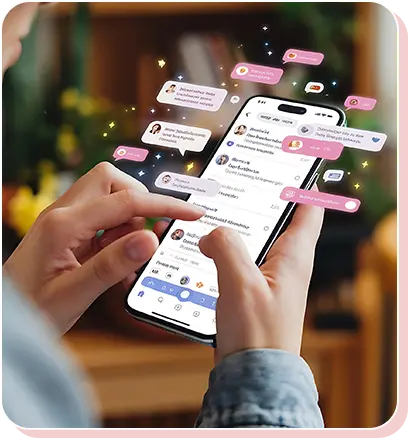
1. Sender setup
This is the first step in the RCS process, and our team uses it to build the sender identity customers see in the thread. We set up the business name, logo, colors, and verification details so the brand looks clear and trusted from the start.
2. Content approval
We review the message before it goes live and check the copy, CTA, links, visuals, and compliance details to avoid anything off-brand or irrelevant. That keeps the final message clean, on-brand, and ready to send.
3. Campaign Launch
This is the send stage, where we push the approved RCS message to the right audience. We keep the layout simple, lead with the main point, and make the action button easy to spot.
4. Reporting and tracking
This is the follow-up step, where we check how the campaign performed after it was sent. We use delivery and read data to compare results and make the next campaign stronger.
RCS Messaging vs Traditional Text SMS
RCS gives businesses a better way to message when plain text is not enough. Compared with traditional messaging, it adds verified sender details, rich cards, buttons, images, and read receipts, so customers can see who the message is from and act on it without leaving the chat. The table shows the key differences between the two.
RCS Messaging (Rich. Interactive. Engaging.)
-
Verified & Trusted
Displays brand name, logo & verified badge.
-
Rich Media Support
Share high-quality images, videos, carousels & more.
-
Interactive Buttons
Drive action with quick reply & CTA buttons.
-
Two-Way Communication
Real conversations in real time.
-
Read Receipts & Analytics
Track delivery, read status & engagement.
-
More Secure
Built on carrier-grade security & end-to-end encryption.
Traditional Messaging (Basic. Limited. One-Way.)
-
No Brand Identity
No logo or verification, easy to ignore.
-
No Rich Media
Text-only messages, no visuals.
-
No Interactivity
No buttons or quick actions.
-
One-Way Communication
No real-time two-way chat
-
No Analytics
No visibility on reads or engagement
-
Less Secure
More prone to spam & phishing.
RCS Messaging Use Cases
Brainpulse builds RCS messaging campaigns for startups, growing companies, and established brands. We shape each one around the audience, buying cycle, and business goal so the message feels relevant and gets results.

Healthcare

Education
E-commerce

Real Estate

Hospitality
Why Choose Brainpulse for RCS Messaging?
At Brainpulse, we focus on delivering qualified leads. Using AI-powered insights, data-driven strategies, we target the right audience and bring in real opportunities. Here are some of the many reasons client trust our lead generation expertise.

Comprehensive Industry Experience
We’ve spent years helping brands build message journeys that are clear, branded, and useful from the first messages sent. At Brainpulse, we use our extensive experience to provide RCS messaging that is reliable and easy for customers to act on.

Dedicated Team
Our RCS messaging team keeps delivery reliable and faster campaign execution. They manage complex workflows well, catch issues early, and keep communication clear across every step. That kind of perfection saves time, reduces friction, and keeps campaigns moving without delays.

Best Network Coverage
With multiple optimized points of presence and hundreds of direct-to-carrier routes, messages move through a broad, well-managed network. That means better delivery paths, less congestion, and more consistent performance across the country. It’s built for scale without losing control.
Case Studies
Brainpulse has helped businesses use RCS messaging to reach customers with verified, branded conversations that feel easier to trust and act on. These case studies show how richer message formats, stronger sender recognition, and clearer call-to-action flows can improved their outreach across different markets.
41% More Order Tracking Taps
ECOMMERCE
Button-based delivery updates cut friction and got more customers to check tracking inside the thread.
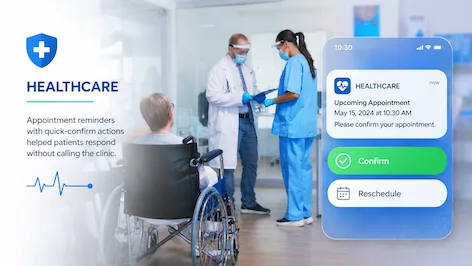
33% Fewer No-Show Appointments
HEALTHCARE
Appointment reminders with quick-confirm actions helped patients respond without calling the clinic.

27% Faster Check-In Completion
TRAVEL
RCS boarding and check-in prompts reduced drop-off because travelers could act from the message itself.
Our RCS Messaging Pricing /Plans
Brainpulse’s RCS messaging plans are set up for different business needs. Pick the one that matches how much you want to send, manage, and measure. Below are the details:
`
| Activities |
 STARTER PLAN STARTER PLAN |
 GROWTH PLAN GROWTH PLAN |
 SCALE PLAN SCALE PLAN |
|---|---|---|---|
| Best for | Small Bbusinesse | Growing Businesses | Teams that need high-volume RCS messaging |
| Includes | RCS strategy setup | Everything in Starter + | Everything in Growth + |
| – | Message flow planning | Campaign automation | Advanced audience segmentation |
| – | Template creation | Branded sender setup | Priority support |
| – | Basic campaign setup | Response tracking | API support |
| – | Delivery monitoring | Reporting dashboard | Custom integration support |
| – |
RCS (Rich Communication Services) FAQs
We have covered the most frequent questions related to our lead generation services. They help you review the basics quickly and decide what fits your campaign needs.
What are RCS messages?
RCS messages are rich business texts that go beyond plain SMS. They can include branding, images, buttons, and quick replies inside the phone’s native messaging app, making the conversation easier to follow and faster to act on.
Is RCS available on all phones?
No. Google says RCS depends on the phone, carrier, and region, so support can differ from one device to another. Some Android phones support it well, while others may not show RCS chats at all.
How is RCS different from SMS?
SMS sends plain text and very little else. RCS adds verified branding, media, read receipts, typing indicators, and action buttons, so the customer can do more without leaving the message thread.
Why do businesses use RCS?
Businesses use RCS because it combines texting’s reach with chat-style features like branding, buttons, and replies. It helps messages feel clearer, more useful, and easier to act on inside the inbox.
Can brands send transactional messages with RCS?
Yes. Transactional RCS messages share useful updates like order confirmations, delivery details, booking alerts, and payment notices. They should stay short, clear, and tied to a service the customer already uses.
Can RCS include rich media?
Yes. RCS supports images, videos, audio, files, rich cards, and carousels. That makes it a better fit for product showcases, service flows, and messages where a plain line of text is not enough.
Can RCS be used for two-way messaging?
Yes. RCS is built for two-way messaging, so customers can reply, tap a button, or pick a suggested action in the same thread. That makes support and campaign follow-up much smoother.
Client Testimonials
Brainpulse helps brands send RCS messages that feel trusted, clear, and easy to act on. From verified sender details to simple reply flows, the work shows up in better customer response first, then in what clients say about the experience.
Vikram Sethi
“Brainpulse helped us move from plain alerts to RCS messages that feel easier to trust and act on. The verified sender profile, branded layout, and quick action buttons made a clear difference in how clients responded to our service updates and payment reminders.”



Ananya Rao
“We needed messaging that looked professional and saved time for our team and our clients. Brainpulse set up RCS in a way that kept the message clean, direct, and useful. It worked well for onboarding, follow-ups, and campaign updates without feeling heavy or overdone.”
Mahendra Gauda
“We wanted messaging that matched the way our team works. Brainpulse delivered that with RCS. The setup was clear, the branding was consistent, and the response flow felt natural for customers. It made our notifications more useful and reduced the kind of back-and-forth that slows things down.”
Meera Mansukhani
“The biggest value was clarity. Brainpulse built RCS messages that looked sharp, carried our brand clearly, and guided customers to the next step fast. That mattered for enterprise updates, service alerts, and follow-up campaigns where timing and trust both count.”
Sudarshan Reddy
“Brainpulse gave us a better way to handle high-volume customer communication. RCS made our updates easier to scan, and the tappable actions reduced back-and-forth on support and scheduling. It helped our team stay organized while giving clients a smoother experience.”
Ready To Start?
Reach customers faster with interactive two-way messaging built for offers, alerts, reminders, and OTP communication.

Request an RCS Messaging Demo
Speak with our team about your message type, target audience, volume needs, and campaign goals.

Get a Free Workflow Consultation
Review your current setup, message flow, template structure, and compliance readiness.

Find the Right RCS Messaging Plan
Compare promotional, transactional, and custom volume plans to choose the option that fits your business.